Cashier in taka
bKash, Nagad, Rocket and Upay top-ups start at ৳250 and usually land in about 6 minutes. Withdrawals from ৳500 are quoted at 24 minutes once the first identity check is done.
One file, 58 MB, and the full lobby sits on your home screen: bKash deposits, cricket markets, slots and live tables. There is no second account to keep. Tap the button, allow the install once, then sign in with the details you already use on the website.
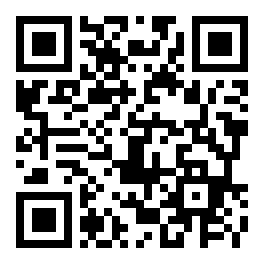
Scan the code with your phone camera if you are reading this on a laptop. The file is ac67.apk, 58 MB, free.
18+ · Play Responsibly
Both routes reach the same ac67 account and the same balance. The difference shows up in small moments: a deposit at two in the morning, prices that move during an over, or a withdrawal you want confirmed before you sleep.
| What you do | ac67 app | Mobile browser |
|---|---|---|
| Opening the lobby | Starts on your balance and the game you left, so there is nothing to hunt for. | Loads the home page first; you tap through banners to reach the lobby. |
| Mobile data | Keeps covers and thumbnails between sessions, so repeat visits are lighter. | Fetches banners and game art again on most visits. |
| Signing in | Stays signed in on the handset you approved; one tap brings you back. | Often asks for the password again after the tab closes. |
| Deposits | bKash, Nagad, Rocket and Upay sheets open inside the app window. | Sends you to a new tab and back, which can drop the session. |
| Cricket prices | Live markets refresh in place while the over is still running. | Needs a manual refresh when the price moves quickly. |
| Alerts | Match start, bonus and withdrawal updates arrive on the phone. | No phone alerts; you open the site to check. |
| Updates | A prompt inside the app when a new build is ready to install. | Always the newest page, and nothing to install. |
Use the browser for a quick look on a friend's phone and the app on the handset you play from. One account covers both, so a deposit made on the web appears in the app as soon as it refreshes.
Five steps and roughly two minutes on a normal 4G connection. Do it on the phone you will actually play from, not on a laptop.
Use the phone's own browser and tap Download APK further down. Stay on ac67.site: mirror sites and APK blogs wrap the same file in their own adware, and we cannot vouch for those builds.
Android blocks apps from outside the Play Store by default. When the warning appears, open Settings and allow installs for the browser you are using. That switch covers one app only, and you can turn it off again later.
The file is 58 MB. On a weak line it may take a few minutes, so keep the screen awake until the notification says the download is complete. A half-finished file is the most common cause of a parse error.
Tap the notification, or open Files then Downloads and tap ac67.apk. Choose Install. If Play Protect shows a scan warning, tap More details and then Install anyway, because the file came straight from this site.
Open the app and log in with your usual details, or register first if the account is new. Allow notifications for withdrawal updates, then add the app shortcut to your home screen.
There is no iOS build and we never ask you to install a configuration profile. The browser route gives you the same lobby, cashier and markets.
Every release is signed the same way, so a new build installs straight over the old one and your login stays. Keep a little free storage on the phone while the installer works.
| Version | 2.8.0 |
| File name | ac67.apk |
| File size | 58 MB |
| Minimum Android | 6.0 |
| Last updated | 10 November 2026 |
| Price | Free |
| Languages | English, Bangla |
| Download source | ac67.site |
Four permissions, each with one job. If a build ever asks for more than this list, stop and download the file again from this page.
Used for match reminders, bonus messages and the note that says a withdrawal has been paid. Each type can be switched off inside the app settings without losing access to your account or lobby.
Opens only when you scan a payment QR code or photograph an ID document for verification. Nothing is recorded in the background, and a photo you cancel before sending is never uploaded to us.
Lets the installer save ac67.apk and clear it after installation, and lets the app cache game covers so repeat sessions are lighter. It does not read your photos, chat files or other downloads.
A device identifier and login time are kept so one account is not open on ten handsets at once, and so support can close a session you no longer recognise. That record stays with your account settings.
The ac67 app never asks for your bKash PIN, Nagad PIN, one-time code or card CVV. A deposit is confirmed inside the bKash app or the USSD menu, and we only see the transaction ID you send. Anyone who asks for a PIN is not us.
bKash, Nagad, Rocket and Upay top-ups start at ৳250 and usually land in about 6 minutes. Withdrawals from ৳500 are quoted at 24 minutes once the first identity check is done.
Pre-match and in-play prices on BPL fixtures, international series and the big football leagues. The bet slip sits on the same screen as the odds, so a selection is two taps away.
Around 5,000 titles from Habanero, JILI, JDB, Evolution and Sexy Gaming, filtered by provider, payout rate or stake size, so a ৳1 spin is easy to find on a small screen.
Short rounds with a cash-out button for the ten minutes between classes or the wait for a bus. Stakes start low, and the round history sits above the play area.
Send an NID, passport or driving licence a single time. Review takes about 6 hours before your first withdrawal, and later cash-outs skip that queue entirely.
Daily cashback begins at 1.7% and rises with monthly turnover through Silver, Gold and Platinum to Diamond, where a personal manager handles limits and payment questions.
Most ac67 sessions in Dhaka and Chattogram last a few minutes, not a few hours. The app opens where you stopped, so a market you were watching is still on screen when you come back from a queue or a class.
Covers and thumbnails stay cached, which matters when data runs short near the end of the month. The full lobby is also on the web if you ever need it from someone else's device.
See the casino lobbyFive problems cover almost every failed install. Work down the list before you uninstall anything or ask support for a new file.
| What you see | Why it happens | What to do |
|---|---|---|
| Nothing opens after the download | The browser saved the file but did not hand it to the installer. | Open Files, then Downloads, and tap ac67.apk. If Android asks what to open it with, choose Package installer rather than a file viewer or a document app. |
| Your phone is not allowed to install unknown apps | The permission is granted per app, and the browser you used is not on that list yet. | Go to Settings, Apps, Special app access, Install unknown apps, pick your browser and allow it. Return to Downloads and tap the file again. |
| Parse error on install | The download stopped early, or the file came from a mirror copy rather than this page. | Delete the file, free a little storage, and download once more over Wi-Fi. Do not force a broken build; a modified mirror can install code we never signed. |
| Play Protect warns about the file | The build is not distributed through the Play Store, so the scanner has no reputation record for it. | Tap More details, then Install anyway. Before you do, check that the file name is exactly ac67.apk and that the download came from ac67.site. |
| App installs but closes on launch | Android is older than 6.0, or an old cache from a previous build is still in place. | Check the Android version in Settings, About phone. On 6.0 or newer, uninstall the app, restart the handset, then install the fresh file once. |
Still blocked? Send the exact wording of the message to live chat, together with your phone model and Android version. That saves a round of guessing. Read the help answers for account-side problems such as a failed login.
Yes, if you take it from this page. That file is the same signed build we release each time, and it installs over the previous version without touching your login. Avoid APK blogs and forwarded files in chat groups: those copies can be repacked with extra code, and we cannot say what they do with your details.
Android 6.0 and newer, with a little free storage for the 58 MB file plus room for future updates. On an older handset, use the mobile site in the browser instead. It carries the same lobby, cashier and markets, and nothing needs to be installed or updated on the phone.
Open the app. When a new build is ready it offers the file, and you install it on top of the old one. Your balance, bonus progress and login all stay in place. There is no need to uninstall first, and no reason to keep the old ac67.apk sitting in your downloads folder.
No. The ac67 app file is built for Android, and iOS cannot run APK files at all. On an iPhone or iPad, open the site in Safari, tap Share, then Add to Home Screen. You get a proper icon, a full-screen layout and exactly the same account.
Because the file does not come through the Play Store. Android shows that warning for every sideloaded app, including banking and government tools. You allow installation for one browser, once, and the prompt stops appearing for that browser afterwards. You can withdraw the permission at any time.
Never. A deposit is approved inside the bKash app or through the USSD menu, and ac67 only receives the transaction ID you send afterwards. No PIN, one-time code or card CVV is requested in the app, in live chat, or by anyone who calls and claims to be from support.
The install itself is 58 MB, which is best done on Wi-Fi. After that, a normal session of slots or cricket markets is light, because covers and thumbnails are cached on the phone rather than fetched again. Live video tables are the one part that uses noticeably more data.